
How to Photograph the Sea with an iPhone: 7 Insider Tips
Reading time: 4 min.
1/08/2024
Have you ever looked at the sea and thought how amazing it would be to capture that beauty in a single photo? We’ve got great news: with your iPhone, you can! Taking photos of the sea may seem simple, but if you follow our advice, your photography will reach a whole new level.
Word from Album di Figurine: in this guide, we’ll explore the most effective techniques for photographing seascapes and give you a little inspiration to create original, innovative shots.
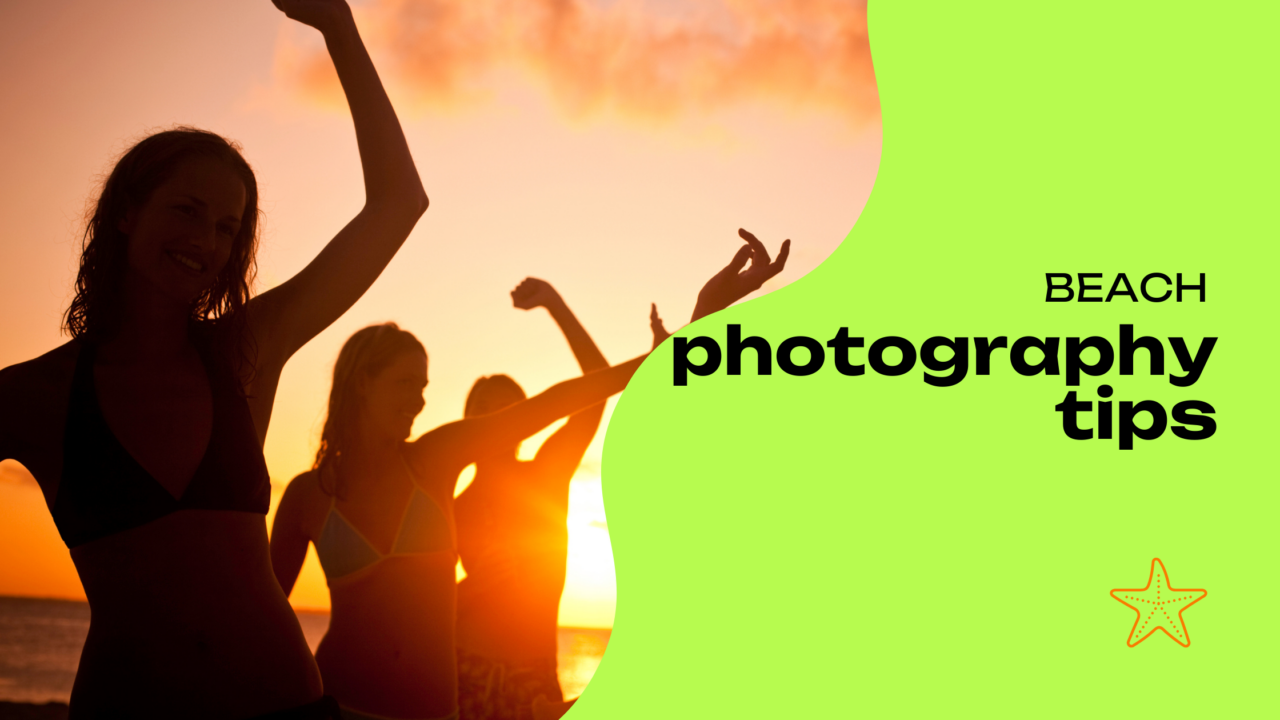
1. Only shoot in the best light conditions
We’ve probably said it a thousand times already, but one more certainly won’t hurt. Without light, there would be no photography: it is your greatest ally! Think about the golden hour — the time just after sunrise and before sunset — which gives you a warm, soft light that makes the colours of the sea look even more vibrant. So why not use it to your advantage?
If you absolutely have to shoot during the day, at least avoid the middle hours, when the sun is too high, or you’ll end up dealing with harsh shadows.
As always, though, there’s the exception that proves the rule, as in the magical technique of backlit photography.
2. Use HDR mode
The HDR feature — High Dynamic Range — on your iPhone is perfect for capturing seascapes, and it is already available in your device settings. This mode balances the bright and dark areas of your photo, making sure that both the sky and the sea remain visible and well defined. So make sure HDR is turned on if you want to get the most out of your shots.
3. Composition and perspective at your service
Everyone wants their sea photos to look interesting, so you really need to experiment with different compositions and let your creativity shine. Start with the basics and use the rule of thirds: imagine your screen divided into nine equal parts and place your main subject along those lines or at the points where they meet.
Then change your perspective by shooting from different angles — perhaps from low down to include more of the sky, or from above to focus on the waves. Easy!
4. Get familiar with manual settings
If you want to get the most detail out of your photos — and recreate a little of that classic DSLR experience — try setting the focus and exposure manually on your iPhone.
How do you do it? Simple. Tap the screen where you want the camera to focus, then drag up or down to adjust the exposure. In no time, you’ll have full control over the final result.
5. Reflections on the water? Absolutely!
How many photos have you seen playing with this effect that never, ever gets old? It’s no surprise: reflections on the water can create surprising shades and effects in your images.
Look for calm stretches of water to capture sharp reflections of the sky, clouds, or even boats. Even puddles on the beach can offer interesting photographic opportunities, not to mention the ripples that can add a unique sense of movement to your shots.

6. It’s not all about landscapes
Think about walks along the shoreline and everything that catches your eye and stirs your emotions. This time, don’t limit yourself to wide landscapes — focus instead on the details.
Shells on the shore, the foam of the waves, or grains of sand: anything can become a fascinating subject with the right shooting mode. Just turn on your iPhone’s macro feature to discover the wonderful world of close-up photography.
7. Everything looks better with your creativity
One final heartfelt piece of advice — and perhaps the most important quality of all: don’t be afraid to use your creativity. Seascape photography has no limits other than the ones we place on it ourselves! Try shooting through transparent objects such as sunglasses, or use accessories like drones if you want to capture unique perspectives over the beach.
If you think about it, being by the sea feels relaxing, doesn’t it? Well then, photographing the sea with your iPhone should be a rewarding and enjoyable experience too. And once you see the final result of your images, you’ll be eager to turn them into a fantastic personalised sticker album using one of our available templates!
More news from the world of figurines

How to Photograph Food: 5 Tasty (and Useful) Tips

How to turn a grainy photo into a masterpiece: 5 easy tips

8 Photo Ideas to Try at the Beach
Capture the magic of the season: 7 ideas for spectacular autumn photos
Live Photos: How They Work and Why They Can Make Your Album More Exciting

How to Photograph the Sunrise: Capture the Magic of the Morning with Your Smartphone

7 of the Most Photographed Cities in the World

How to organize a Carnival party using stickers

The essential guide to mountain photography

Backlit Photography: 5 Tips for Creating Stunning Images

7 street photography tips for beginners

Gift sticker albums to colleagues who are retiring

Custom Sticker Album: What it is, who it’s for, and for which occasions

Stickers are good for your business

Original Valentine’s Day Gifts: Personalized Ideas for Him and Her

Shoot or skip? A guide to the perfect Christmas gift for photography lovers

How to Photograph the Stars with an iPhone: 7 Brilliant Tips

5 Original Gift Ideas for an 18th Birthday, Full of Creativity

5 Artistic Couple Photo Ideas to Gift on Valentine’s Day

A personalized sticker album for every occasion

How to add magic to your photos with the bokeh effect

A photo album for a First Communion? With stickers, it’s even more creative!

Tourism marketing: 5 effective strategies

5 Ideas for Decorating Your Home with Photos Using Stickers

What to Give a Friend as a Gift: 5 Personalized Ideas

How to Photograph Your Dog: 5 Tips

Explore the magic of nature and take incredible forest photos
Blue Hour Guide: What It Is and How to Photograph It

How to Photograph a Sunset with Your Phone: 5 Photo-Saving Tips

5 Must-Have Apps for Taking Selfies

Municipality of Gordona: over 500 stickers, dozens of pages, and a story to tell

How to photograph stars with your smartphone

Where to Do Street Photography in Milan: Must-See Spots to Capture the City’s Essence

The world of tiny details: a simple guide to macro photography with your smartphone

5 original ideas for personalized football stickers

How to Create Football Player Stickers

So scary: how to organise a Halloween party and take spine-chilling photos!

5 Photo Apps to Remove the Background from Your Pictures

Guide to black-and-white photography for snowy landscapes

Where to do street photography in Rome

How to Photograph the Northern Lights: Capture the Essence of the Arctic

Original corporate events? Don’t keep your office stuck to their chairs… put them in a sticker album instead!

DIY photo album? Even better… DIY stickers!

HDR Photos: What Does This Acronym Mean?

No More Boomer Selfies: 10 Creative Self-Portrait Ideas That Actually Slay

How to Photograph Cats and Capture Perfectly Sweet Shots

White Balance: the Trick That Makes Your Photos Perfect

Autumn colours: 5 tricks for photographing foliage like a professional

How to Save Your Phone Photos to the Cloud: A Guide to Secure Backup

Easy tips for taking photos in the snow

10 ideas for organizing an original baby shower

A touch of magic for your couple photos

Top 5 End-of-Year Class Gifts (With a Truly Unique Idea)
