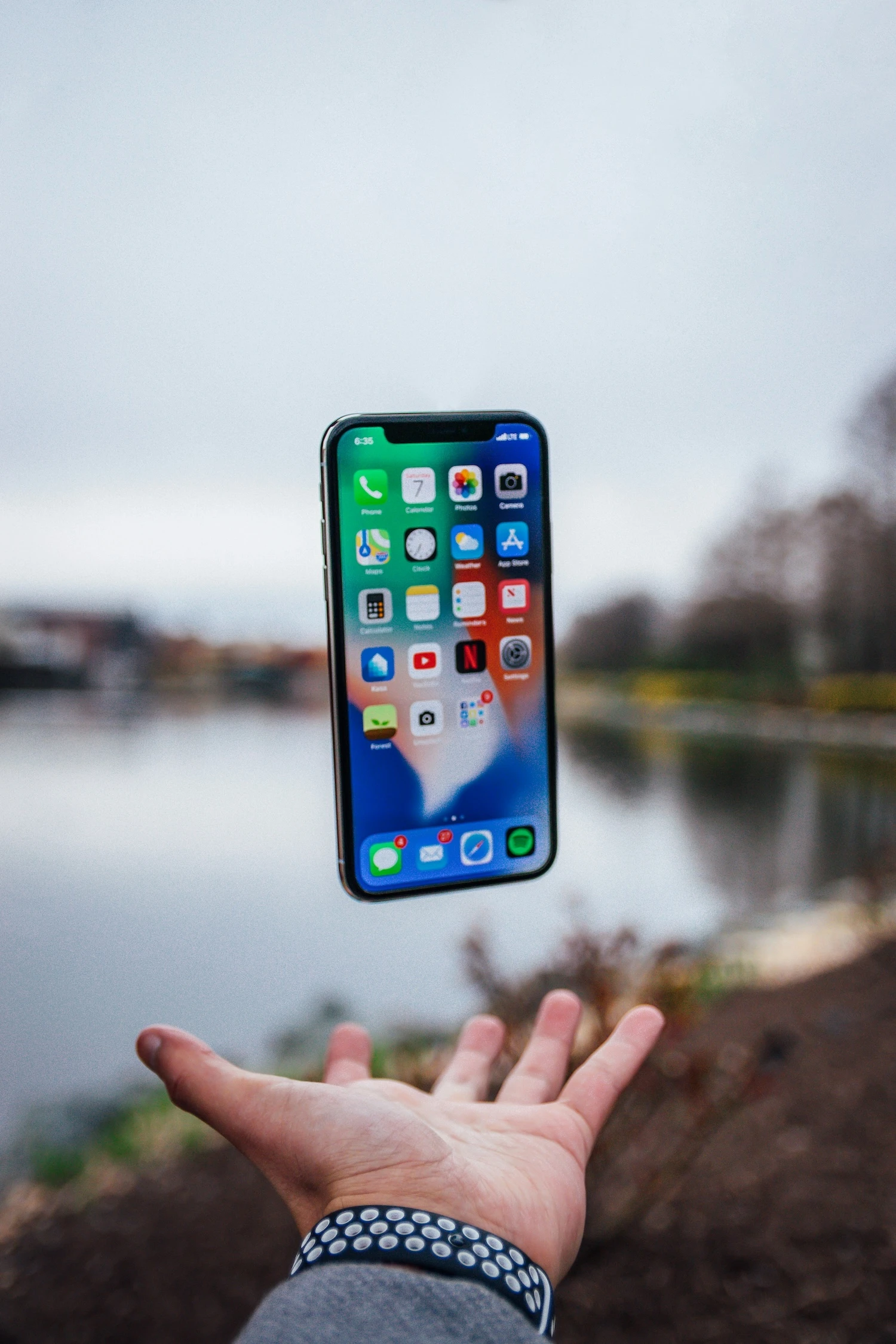
Live Photos: How They Work and Why They Can Make Your Album More Exciting
Photos have a kind of magic: they take us back in time, make us smile, and sometimes even move us to tears. But they do have one small limitation: a still image doesn’t always manage to capture all the energy of a moment. That’s why Apple introduced Live Photos — a feature halfway between a photo and a video that brings memories to life in a whole new way.
If you’re wondering what this Live Photos thing actually means, you’re in the right place: you’ll discover how they work, how to turn them on, and why they can make your photo memories even more emotional.

What are Live Photos?
A Live Photo on iPhone is not just a simple image. When you take a shot, your device captures what happens 1.5 seconds before and 1.5 seconds after the photo, creating a short animated clip. As we said, it’s like a mix between a video and a photo.
And in your gallery, you can spot them thanks to the circular icon: just tap it to see them come to life.
Wait a second — do you use Android and worry you can’t create anything similar? There are comparable alternatives: many cameras call them animated photos or motion photos. Either way, the idea is the same: turning a memory into something dynamic.

Dove trovare la funzione Live Photo
How to activate and take a Live Photo
Taking a Live Photo is very easy:
- open the Camera app on your iPhone.
- tap the round icon at the top (yellow when active).
- take the photo as usual.
Voilà: you’ve created a Live Photo!
A good tip is to turn it on when you want to capture spontaneous movement: a smile appearing, a stolen kiss, the blowing out of birthday candles. But it’s a good idea not to leave it on all the time, also because the final result will have a slightly lower resolution than a still image.
Live Photo: What to do with it after taking the shot
Live Photos don’t end with the shot itself. In fact, among the many options Apple gives you, you can:
- choose the key frame and turn it into a normal photo
- create fun effects: loop, bounce, and long exposure — the last one is ideal for capturing incredible shots of rivers or traffic lights
- share them on social media, in messages, or by email
- turn them into videos or GIFs
Sometimes you may run into small issues: for example, the Live Photo iPhone wallpaper may not work. Don’t panic — usually, all you need to do is turn the “Dynamic Wallpaper” option back on in the settings or update your system.

live photo iphone
Ok, but why do they make an album more emotional?
That’s the beauty of the unexpected.
Seeing a still photo is one thing; reliving the emotions of that exact moment in motion is another. A Live Photo captures the instant before the laugh, the look lighting up, the wind moving through someone’s hair.
And when you decide to turn it into a sticker to print, for example, you can choose the frame that moves you the most. That way, each image is not just a photo, but a vivid memory full of energy.
Conclusion
Live Photos on iPhone are much more than just a special effect: they are little capsules of memory in motion. They capture details that often escape a traditional photo and make every memory more personal, creative, and emotional.
➡️ But if you really want to discover the hidden potential of your Live Photos… it’s time to turn them into a one-of-a-kind sticker album! Word from all of us at Iqiqo!
More news from the world of figurines

5 Photo Apps to Remove the Background from Your Pictures

5 Ideas for Decorating Your Home with Photos Using Stickers

DIY photo album? Even better… DIY stickers!

How to Photograph Your Dog: 5 Tips

Stickers are good for your business

Shoot or skip? A guide to the perfect Christmas gift for photography lovers

The world of tiny details: a simple guide to macro photography with your smartphone

HDR Photos: What Does This Acronym Mean?

How to Photograph the Northern Lights: Capture the Essence of the Arctic

A photo album for a First Communion? With stickers, it’s even more creative!

5 original ideas for personalized football stickers

How to organize a Carnival party using stickers

Custom Sticker Album: What it is, who it’s for, and for which occasions

Guide to black-and-white photography for snowy landscapes

5 Original Gift Ideas for an 18th Birthday, Full of Creativity

7 of the Most Photographed Cities in the World

How to Photograph the Sea with an iPhone: 7 Insider Tips

Top 5 End-of-Year Class Gifts (With a Truly Unique Idea)

How to photograph stars with your smartphone

Original corporate events? Don’t keep your office stuck to their chairs… put them in a sticker album instead!

5 Must-Have Apps for Taking Selfies

Autumn colours: 5 tricks for photographing foliage like a professional

How to Photograph the Stars with an iPhone: 7 Brilliant Tips

A touch of magic for your couple photos

Easy tips for taking photos in the snow

How to turn a grainy photo into a masterpiece: 5 easy tips

Original Valentine’s Day Gifts: Personalized Ideas for Him and Her

How to Photograph Food: 5 Tasty (and Useful) Tips

How to Photograph the Moon with an iPhone: 5 Tips to Dream Big!

7 street photography tips for beginners

Municipality of Gordona: over 500 stickers, dozens of pages, and a story to tell

A personalized sticker album for every occasion

White Balance: the Trick That Makes Your Photos Perfect

Where to Do Street Photography in Milan: Must-See Spots to Capture the City’s Essence

10 ideas for organizing an original baby shower

Where to do street photography in Rome

How to Save Your Phone Photos to the Cloud: A Guide to Secure Backup

Explore the magic of nature and take incredible forest photos

How to Photograph Cats and Capture Perfectly Sweet Shots

Backlit Photography: 5 Tips for Creating Stunning Images

The essential guide to mountain photography

How to add magic to your photos with the bokeh effect
Capture the magic of the season: 7 ideas for spectacular autumn photos

Tourism marketing: 5 effective strategies

How to Create Football Player Stickers

No More Boomer Selfies: 10 Creative Self-Portrait Ideas That Actually Slay

Blue Hour Guide: What It Is and How to Photograph It

How to Photograph a Sunset with Your Phone: 5 Photo-Saving Tips

5 Artistic Couple Photo Ideas to Gift on Valentine’s Day

Gift sticker albums to colleagues who are retiring

How to Photograph the Sunrise: Capture the Magic of the Morning with Your Smartphone

What to Give a Friend as a Gift: 5 Personalized Ideas

8 Photo Ideas to Try at the Beach
